 Inscra
Keep what's worth keeping.Find it in a year.
Your own archive for quotes, links, images and video. It lives in one folder on your Mac, and nothing is uploaded.
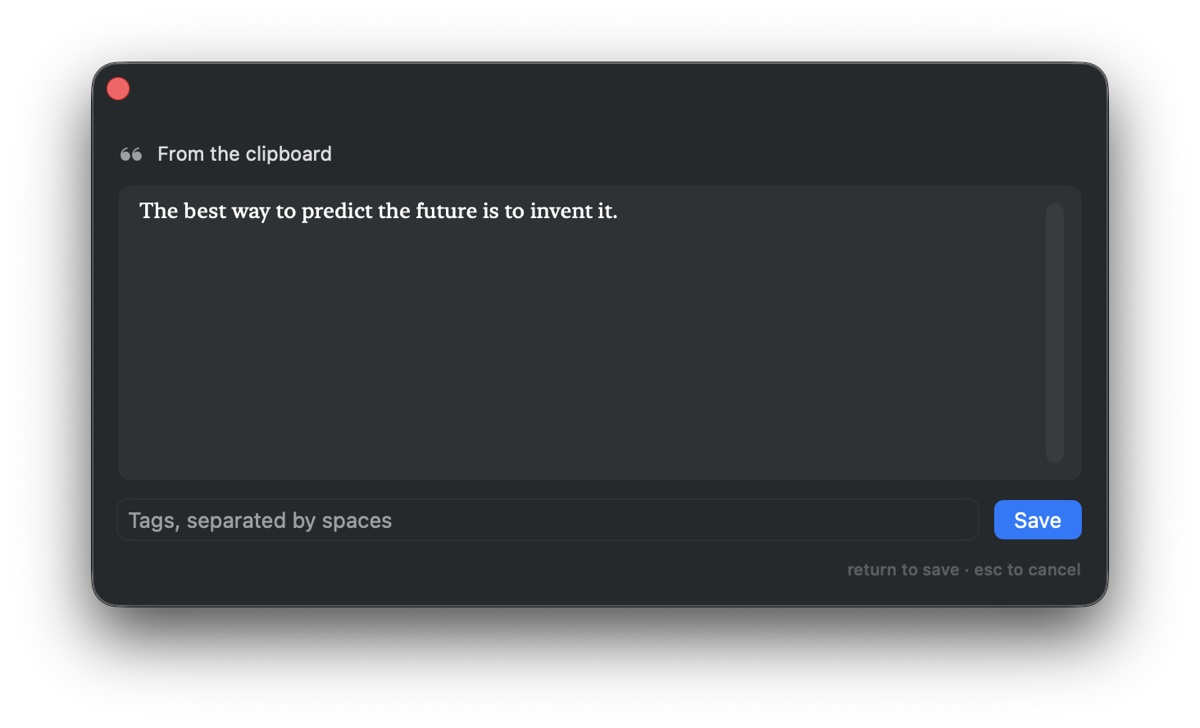
Four ways in. One result.
All of them run the same rules, so what you end up with never depends on which door you came through.
- ⌥⌘V
- Anywhere on the system. A panel appears prefilled from the clipboard.
- ⌘⇧V
- With Inscra open, paste straight into the grid.
- Drag and drop
- Images and video, from Finder.
- Inbox folder
- Anything dropped into a watched folder, including from your phone.
It works out what you saved.
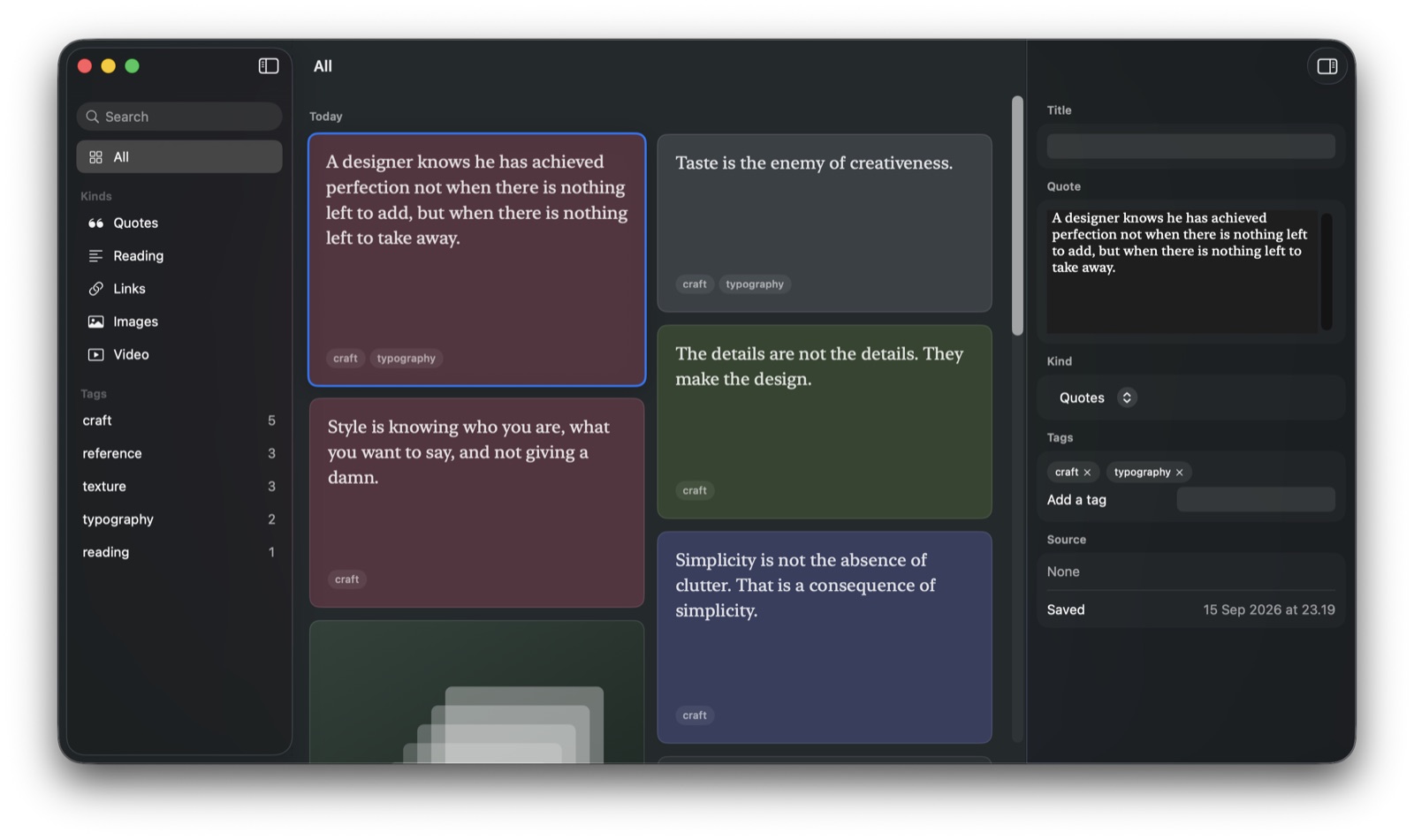
A link becomes a link, short text a quote, long text a reading, a file an image or a video. The card fills itself in while you carry on.
Quote
A designer knows he has achieved perfection not when there is nothing left to add, but when there is nothing left to take away.
Image

Link
Bauhaus
en.wikipedia.org
Quote
Simplicity is not the absence of clutter. That is a consequence of simplicity.
Video

Reading
Anything past 400 characters lands here instead of the quote pile, with the full passage kept and searchable.
Quote
Taste is the enemy of creativeness.
Quote
The details are not the details. They make the design.
Quote
Style is knowing who you are, what you want to say, and not giving a damn.
Flat tags. Nothing to file.
No folders, and no hierarchy to invent before you are allowed to save anything. ⌘F searches titles, notes, site names and tags at once.
- Quick capture
- ⌥⌘V
- Paste into the grid
- ⌘⇧V
- Inspector
- ⌘⌥I
- Preview
- Space
- Open the source
- Return
- Delete
- ⌘⌫
From your phone, with one Shortcut.
Point Inscra at a folder both machines can see. iCloud Drive, Dropbox and Syncthing all work.
- In Shortcuts, make a new shortcut called Save to Inscra.
- Turn on Show in Share Sheet and accept Text, URLs, Images and Files.
- Add one Save File action pointing at the folder, and turn off Ask Where to Save.
Nothing ever leaves your Mac.
There is no account, no server and no sync you did not ask for, so there is no breach to be caught in and nobody to trust with what you keep. Your archive is one folder you can open, copy and back up yourself.
~/Library/Application Support/Inscra/
├── Inscra.store      the database
└── Assets/           images, video, covers, favicons
The questions people actually ask.
- Is Inscra free?
- Yes, all of it. Every feature, no item limits, no trial. You can put in whatever you like if you want to, and nothing in the app changes either way.
- Can anyone see what I save?
- No. Everything stays on your Mac. There is no server, so there is nothing for us or anyone else to look at.
- Do I need internet?
- No. Everything works offline. Links just fill in their titles once you are back online.
- Do I need an account?
- No. No sign up, no email, no password. Download it and start saving.
- Can I get my things back out?
- Yes. It all sits in one folder on your Mac that you can open and copy whenever you want.
It is free. All of it.
No item limits, no locked features, no trial clock. Inscra costs nothing to run, so it costs nothing to use.
Free
every feature, from the first day
- No account, nothing to sign in to.
- No subscription, and nothing held back.
- Works offline, in a folder you control.
If it earns its keep
Inscra was built by one person over a few months. If it becomes part of how you work, you can buy me a coffee. Nothing in the app changes either way, and nothing is held back if you do not.
Buy me a coffeeOpening it the first time
- Double click Inscra. macOS says "Inscra" Not Opened and that Apple could not verify it. It says this about everything it has not seen before.
- Click Done. The blue button says Move to Trash, and it is not the one you want.
- Open System Settings, then Privacy & Security, scroll to the bottom and click Open Anyway. That is the last time you will be asked.